Showing posts with label HP. Show all posts
Showing posts with label HP. Show all posts
2013-08-06


2013-06-04
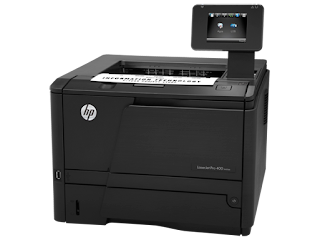
HP LaserJet Enterprise P3015dn Printer

| Printing specifications |
|---|
| Cable included?: | Please purchase USB cable separately |
| Print speed, black (normal quality mode): | Up to 42 ppm |
| Print speed footnote: | Exact speed varies depending on the system configuration, software application, and document complexity. |
| First page out (black): | As fast as 7.5 sec |
| Print resolution, black: | Up to 1200 x 1200 dpi |
| Print technology: | Laser |
| Monthly duty cycle: | Up to 100,000 pages |
| Footnote for duty cycle: | Duty cycle is defined as the maximum number of pages per month of imaged output. This value provides a comparison of product robustness in relation to other HP LaserJet or HP Color LaserJet devices, and enables appropriate deployment of printers and MFPs to satisfy the demands of connected individuals or groups. |
| Recommended monthly print volume: | 1500 to 5000 |
| Footnote for recommended monthly print volume: | HP recommends that the number of printed pages per month be within the stated range for optimum device performance, based on factors including supplies replacement intervals and device life over an extended warranty period. |
| Memory, standard: | 128 MB |
| Memory, Maxium: | 640 MB |
| Processor speed: | 540 MHz |
| Print languages, standard: | HP PCL 5e; HP PCL 6; HP postscript level 3 emulation; direct PDF (v 1.4) printing |
| Memory Slots: | 1 slot 144-pin DIMM |
| Hard disk: DRIVER Click Here | Optional, HP High-Performance Secure EIO Hard Disk (EIO Hard Drive) |
2013-03-25
Are you thinking of buying a new printer Do you find confused in choosing the right printer for you?
With us you will find some useful advices when buying a new printer
First, if you are printing your documents in small amounts you have some choices

Quick 21 ppm Print Speeds
Print speeds of up to 21 ppm and first print out time of less than 8.5 seconds means you’ll spend more time printing and less time waiting.
Compact and Quiet
The compact ML-2165W has a footprint of just 13.0" W x 8.5" D x 7.0" H. It’ll fit comfortably on a corner of your desk or bookshelf. And at sound levels of less than 50dBA,you'll hardly hear it.
Wireless Printing
Wireless printing means you can place the compact ML-2165W anywhere in your office, without worrying about running cables to it. It also makes it simple to share your printer with multiple computers.

Push the Button, Save on Print Costs
Optimize your printing in one simple step with Samsung’s one-touch Eco Button. You can save on printing expenses when you quickly switch to Eco Mode and conserve toner, paper and energy.
Optimize Your Printing with Easy Eco Driver
With Samsung’s Easy Eco Driver, you can edit your document before printing and adjust quality, color and other settings such as removing unnecessary text, images or other elements. Say goodbye to wasted printouts and discover more economically-efficient printing.
Simple and Efficient Printer Management Made Easy
Discover simplified print management with Easy Printer Manager. This software allows you to quickly set up your device and monitor status. Never worry about unexpectedly running out of toner again. The Easy Printer Manager can notify you when toner as low, and even let you toner directly from the driver.
But if you are printing documents in large quantities or you're an engineer or designer, you need a specialized printer


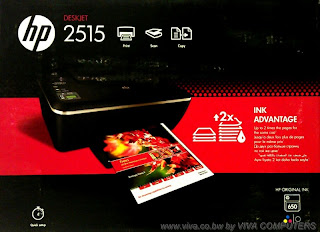
HP Deskjet Ink Advantage 2515 All-in-One Printer

| Printing specifications | |
|---|---|
| Print speed black (draft, A4) | Up to 20 ppm |
| Print speed colour (draft, A4) | Up to 16 ppm |
| Print speed black (ISO, laser comparable) | Up to 8 ppm |
| Print speed footnote | Either after first page or after first set of ISO test pages. For details see: http://www.hp.com/go/printerclaims |
| Duty cycle (monthly, A4) | Up to 1000 pages |
| Recommended monthly page volume | 300 to 400 |
| Print technology | HP Thermal Inkjet |
| Print quality black (best) | Up to 600 dpi |
| Print quality color (best) | Up to 4800 x 1200 optimized dpi from 1200 dpi input data (when printing from a computer on photo paper) |
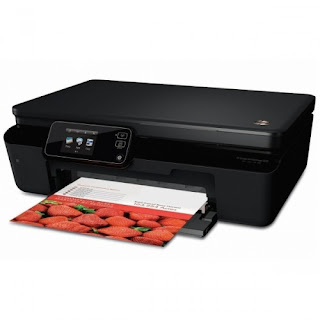
HP Deskjet Ink Advantage 5525 e-All-in-One Printer

| Printing specifications | |
|---|---|
| Print speed black (draft, A4) | Up to 23 ppm |
| Print speed colour (draft, A4) | Up to 22 ppm |
| Print speed black (ISO, laser comparable) | Up to 11 ppm |
| Print speed colour (draft, 10x15 photo) | As fast as 19 sec |
| Print speed footnote | [ 2 ]Either after first page or after first set of ISO test pages. For details see: http://www.hp.com/go/printerclaims |
| Duty cycle (monthly, A4) | Up to 1000 pages [3] |
| Duty cycle note | [ 3 ]Duty cycle is defined as the maximum number of pages per month of imaged output. This value provides a comparison of product robustness in relation to other HP LaserJet or HP Color LaserJet devices, and enables appropriate deployment of printers and MFPs to satisfy the demands of connected individuals or groups. |
| Recommended monthly page volume | 300 to 400 |
| Print technology | HP Thermal Inkjet |
| Print quality black (best) | Up to 1200 x 600 rendered dpi (when printing from a computer) |
| Print quality color (best) | Up to 4800 x 1200 optimized dpi color (when printing from a computer on selected HP photo papers and 1200 input dpi) |
Samsung ML-2165W Printer Driver

samsung scx 3405

HP Officejet Pro 8600 Plus e-All-in-One Printer series - N911 (CM750A)

| Printing specifications | |
|---|---|
| Print Speed Black (ISO, laser comparable) | Up to 20 ppm |
| Print speed color (ISO, laser comparable) | Up to 16 ppm |
| Print speed black (draft, letter) | Up to 35 ppm |
| Print speed color (draft, letter) | Up to 35 ppm |
| Print speed, black (normal quality mode) | Up to 20 ppm |
| Print speed, color (normal quality mode) | Up to 16 ppm |
| Print speed footnote | Either after first page or after first set of ISO test pages. For details see http://www.hp.com/go/printerclaims |
| Page yield footnote | Average based on ISO/IEC 24711 or HP testing methodology and continuous printing. Actual yield varies considerably based on content of printed pages and other factors. Some ink from included cartridge is used to start up the printer. For details see http://www.hp.com/go/learnaboutsupplies |
| First page out (black) | As fast as 13 sec |
| First page out (color) | As fast as 14 sec |
| Monthly duty cycle | Up to 25,000 pages |
| Recommended monthly print volume | 250 to 1250 pages (print); 150 to 700 (scan) pages |
| Footnote for recommended monthly print volume | HP recommends that the number of pages per month of imaged output be within the stated range for optimum device performance, based on factors including supplies replacement intervals and device life over an extended warranty period. |
| Print technology | HP Thermal Inkjet |
| Print resolution, black | Up to 1200 x 600 dpi |
| Print resolution, color | Up to 4800 x 1200 optimized dpi on HP Advanced Photo paper, 1200 x 1200 input dpi |
| Ink cartridges | 4 (1 each black, cyan, magenta, yellow) |
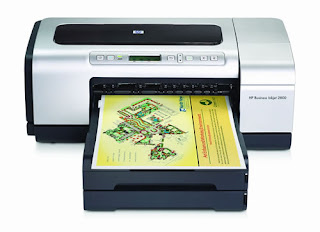
HP Business Inkjet 2800 Printer series

| Specifications | |
|---|---|
| Print speed black (draft, A4) | Up to 24 ppm |
| Print speed colour (draft, A4) | Up to 21 ppm |
| Print quality black (best) | Up to 1200 x 600 dpi |
| Print quality color (best) | Up to 4800 x 1200 dpi |
| Duty cycle (monthly, A4) | Up to 12,000 pages |
| Display | None |
| Number of print cartridges | 4 individual high capacity inks |
| Processor speed | 256 MHz |
| Memory, standard | 96 MB |
| Print languages | HP PCL 5c, HP PCL 6, HP Postscript Level 3 Emulation |
| Paper handling | |
|---|---|
| Paper handling input, standard | 150-sheet input tray, straight through paper path |
| Paper handling output, standard | 100-sheet output tray |
| Duplex printing | Automatic (optional) |
| Envelope input capacity | Up to 22 |
| Media sizes supported | A3+ (305 x 457 mm), A3 (297 x 420 mm), A4 (210 x 297 mm), A5 (148 x 210 mm), A6 (105 x 148 mm), B4 (250 x 353 mm), B5 (176 x 250 mm), B6 (125 x 176 mm), C4 (229 x 324 mm), C5 (162 x 229 mm), C6 (114 x 162 mm), DL (110 x 220 mm) |
| Media sizes, custom | 90 x 146 to 330 x 483 mm |
| Media types | Copier, bond, recycled, multipurpose, premium inkjet, premium inkjet heavyweight, premium transparency, premium photo paper, photo paper, professional brochure (matt and glossy), cards, envelopes and banner |
| Media weight, recommended | 60 to 136 g/m2 |


2013-01-01
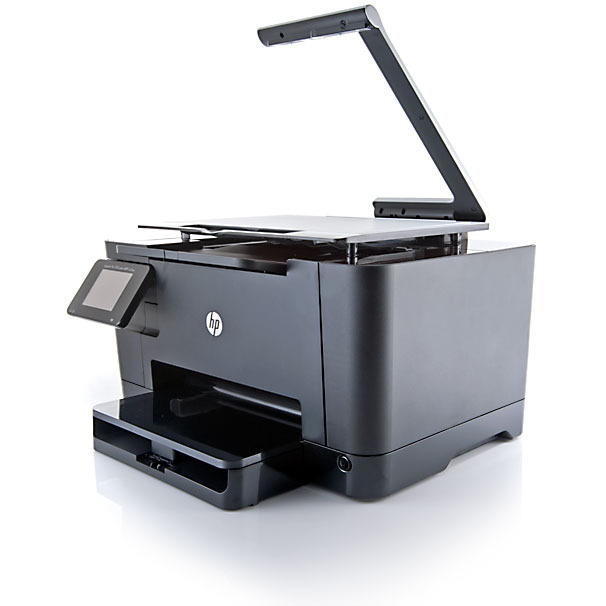
HP TopShot LaserJet Pro M275 MFP - Overview
Overview
HP's first color MFP with TopShot Scanning lets you scan, copy, and print with ease. Use HP TopShot Scanning to capture images of 3D objects, then use business apps to send directly to the Web.7 Print from virtually anywhere with HP ePrint.1
Features
Capture images of 3D objects and scan everyday documents.
• Scan images of 3D objects and post directly to the Web.4 And easily remove background via HP Scan Software.
• Enjoy color multifunction performance with convenient, reliable printing and copying.
• Take advantage of one-step operation and easily scan a variety of objects, documents, and images.
Stay connected with innovative Web-connected printing .
• Use convenient Web apps to scan documents and images directly to online storage sites.
• Stay connected and in touch by scanning business cards directly to address books.
• Access the Web directly without a PC and get a wide range of business apps.
Stay productive—both on the go and in the office.
• HP ePrint—now you can print from virtually anywhere.
• Stay connected—share on a wireless network, or even print from a mobile device without using a network.
• Now with AirPrint™. Simply print wirelessly from your iPad™, iPhone®, and iPod touch®.
Set up quickly, stay up and running easily.
• Access, store, and print with the tap of a finger, using the 3.5-in. (8.9 cm) color touchscreen display.
• Install in just a few minutes—there's no CD required with HP Smart Install.
• Print from anywhere in the office with wireless networking and share resources using built-in Ethernet.
• Save energy—HP Auto-Off Technology turns your printer Off when you don’t need it.[eco01]
• Reduce energy use with Instant-on Technology.[eco02]
• Free, convenient cartridge recycling in 54 countries.
[eco01]HP Auto-On and Auto-Off capabilities subject to printer and settings.
[eco02]Compared with products that use traditional fusing.
Drivers
Click Here
2012-12-23
HP Deskjet Ink Advantage 5525 e-All-in-One Printer

| Functions | |
|---|---|
| Functions | Print, scan, copy |
| Multitasking supported | No |
| Printing specifications | |
|---|---|
| Print speed black (draft, A4) | Up to 23 ppm |
| Print speed colour (draft, A4) | Up to 22 ppm |
| Print speed black (ISO, laser comparable) | Up to 11 ppm |
| Print speed colour (draft, 10x15 photo) | As fast as 19 sec |
| Print speed footnote | [ 2 ]Either after first page or after first set of ISO test pages. For details see: http://www.hp.com/go/printerclaims |
| Duty cycle (monthly, A4) | Up to 1000 pages [3] |
| Duty cycle note | [ 3 ]Duty cycle is defined as the maximum number of pages per month of imaged output. This value provides a comparison of product robustness in relation to other HP LaserJet or HP Color LaserJet devices, and enables appropriate deployment of printers and MFPs to satisfy the demands of connected individuals or groups. |
| Recommended monthly page volume | 300 to 400 |
| Print technology | HP Thermal Inkjet |
| Print quality black (best) | Up to 1200 x 600 rendered dpi (when printing from a computer) |
| Print quality color (best) | Up to 4800 x 1200 optimized dpi color (when printing from a computer on selected HP photo papers and 1200 input dpi) |
| Paper handling | |
|---|---|
| Paper handling input, standard | 80 sheet input tray |
| Paper handling output, standard | 15-sheet output tray |
| Envelope input capacity | Up to 5 envelopes |
| Envelope feeder | No |
| Duplex printing | Automatic (standard) |
| Finished output handling | Sheetfed |
| Media sizes supported | A4; A5; B5; DL; C6; A6 |
| Media sizes, custom | 76 x 127 to 216 x 356 mm |
| Media types | Paper (plain, inkjet, photo), envelopes, transparencies, labels, cards, the HP premium media, iron-on transfers, borderless media |
| Media weight, recommended | A4: 75 to 90 g/m²; HP envelopes: 75 to 90 g/m²; HP cards: up to 200 g/m²; HP 10 x 15 cm photo paper: up to 300 g/m² |
| Additional specifications | |
|---|---|
| Memory, standard | 64 MB |
| Memory, maximum | 64 MB |
| Print languages | HP PCL 3 GUI |
| Scanner specifications | |
|---|---|
| Scanner type | Flatbed |
| Scan resolution, optical | Up to 1200 dpi |
| Bit depth | 24-bit |
| Scan size (flatbed), maximum | 216 x 297 mm |
| Copier specifications | |
|---|---|
| Copy speed black (draft, A4) | Up to 23 cpm |
| Copy resolution (black text) | Up to 600 dpi |
| Copy resolution (color text and graphics) | Up to 600 dpi |
| Copy reduce / enlarge settings | 25 to 400% |
| Copies, maximum | Up to 50 copies |
| Photo printing | |
|---|---|
| Display | 2.65" (6.74 cm) CGD (color graphics), touchscreen |
| Memory card compatibility | Memory Stick Duo, Secure Digital/MultimediaCard |
| Borderless printing | Yes (up to 8.5 x 11 in, 216 x 297 mm) |
| Connectivity | |
|---|---|
| HP ePrint capability | Yes |
| Mobile printing capability | HP ePrint, Wireless direct printing, Apple AirPrint™ [1] [ 1 ]Apple AirPrint™: Supports iOS 4.2 devices iPad®, iPhone® 4, iPhone® 3GS, iPod touch® 3rd and 4th generation capable of multi-tasking. Works with HP ePrint-enabled printers and all-in-ones. AirPrint™ and iOS 4.2 or later devices require an 802.11 wireless network connection to the printer. Wireless performance is dependent upon physical environment and distance from the access point. AirPrint and the AirPrint Logo are trademarks of Apple® Inc. iPad, iPhone, and iPod touch are trademarks of Apple® Inc., registered in the U.S. and other countries. HP ePrint: Requires an Internet connection to the printer. Feature works with any connected Internet- and email-capable device. Requires HP Web Services Account Registration. Print times may vary. For a list of supported documents, and image types, see www.hp.com/go/eprintcenter. And for additional solution see www.hp.com/go/mobile-printing-solutions. |
| Wireless capability | Yes, wireless operations compatible with 2.4 GHz routers only. |
| Connectivity, standard | 1 USB 2.0; 1 WiFi 802.11b/g/n |
| Minimum system requirements | Microsoft® Windows® 7: 1 GHz 32-bit (x86) or 64-bit (x64) processor, 2 GB available hard disk space, CD-ROM/DVD drive or Internet connection, USB port, Internet Explorer; Windows Vista®: 800 MHz 32-bit (x86) or 64-bit (x64) processor, 2 GB available hard disk space, CD-ROM/DVD drive or Internet connection, USB port, Internet Explorer; Windows® XP SP3 or higher (32-bit only): any Intel® Pentium® II, Celeron® or compatible processor, 233 MHz or higher, 750 MB available hard disk space, CD-ROM/DVD drive or Internet connection, USB port, Internet Explorer 6 or higher. |
| Compatible operating systems | Microsoft® Windows® 7; Windows Vista®; Windows® XP SP3 or higher (32-bit only); Mac OS X v10.6, v10.7 |
| Dimensions and weight | |
|---|---|
| Minimum dimensions (W x D x H) | 436 x 545 x 146 mm |
| Weight | 5.05 kg |
| Package weight | 6.47 kg |
| Power and operating requirements | |
|---|---|
| Power consumption | 14.64 watts maximum, 14.64 watts (Printing), 4.75 watts (Ready, Standby), 0.09 watts (Auto-Off, Manual-Off), 1.54 watts (Sleep) [5] |
| Acoustic pressure emissions | 49 dB(A) (printing at 9 ppm) |
| Acoustic power emissions | 6.2 B(A) (printing at 9 ppm) |
| Recommended operating temperature range | 15 to 32ºC |
| ENERGY STAR® qualified | Yes |
| What's in the box | |
|---|---|
| What's in the box | HP Deskjet Ink Advantage 5525 e-All-in-One; HP 670 Black Ink Cartridge (~250 pages); HP 670 Cyan Ink Cartridge (~300 pages); HP 670 Magenta Ink Cartridge (~300 pages); HP 670 Yellow Ink Cartridge (~300 pages); Software CD; Reference Guide; power cord. [Average based on ISO/IEC 24711 or HP testing methodology and continuous printing. Actual yield varies considerably based on content of printed pages and other factors. Some ink from included cartridge is used to start up the printer. For details see http://www.hp.com/go/learnaboutsupplies] |
| Cable included | No, please purchase USB cable separately |
| Software included | HP Photo Creations |
| Warranty | One-year limited hardware warranty backed by HP Customer Care, service and support; one-year technical phone support. For additional information Contact HP |
2012-12-22
HP Deskjet Ink Advantage 3515 e-All-in-One Printer

| Functions | |
|---|---|
| Functions | Print, copy, scan |
| Multitasking supported | No |
| Printing specifications | |
|---|---|
| Print speed black (draft, A4) | Up to 20 ppm |
| Print speed colour (draft, A4) | Up to 16 ppm [ 2 ] |
| Print speed black (ISO, laser comparable) | Up to 8 ppm |
| Print speed footnote | [ 2 ]Either after first page or after first set of ISO test pages. For details see: http://www.hp.com/go/printerclaims |
| Duty cycle (monthly, A4) | Up to 1000 pages |
| Recommended monthly page volume | 300 to 400 |
| Print technology | HP Thermal Inkjet |
| Print quality black (best) | Up to 600 dpi |
| Print quality color (best) | Up to 4800 x 1200 optimized dpi from 1200 dpi input data (when printing from a computer on photo paper) |
| Paper handling | |
|---|---|
| Envelope input capacity | Up to 5 envelopes |
| Envelope feeder | No |
| Duplex printing | None |
| Finished output handling | Sheetfed |
| Media sizes supported | Letter, legal, 4 x 6 in, 5 x 7 in, 8 x 10 in, No. 10 envelopes |
| Media types | Paper (brochure, inkjet, plain), photo paper, envelopes, labels, cards (greeting), transparencies |
| Media weight, recommended | A4: 60 to 90 g/m²; HP envelopes: 75 to 90 g/m²; HP cards: up to 200 g/m²; HP 10 x 15 cm photo paper: up to 280 g/m² |
| Additional specifications | |
|---|---|
| Memory, standard | Integrated |
| Memory, maximum | Integrated |
| Print languages | HP PCL 3 GUI |
| Scanner specifications | |
|---|---|
| Scanner type | Flatbed |
| Scan resolution, optical | Up to 1200 dpi |
| Bit depth | 24-bit |
| Scan size (flatbed), maximum | 216 x 297 mm |
| Copier specifications | |
|---|---|
| Copy resolution (black text) | Up to 600 x 300 dpi |
| Copy resolution (color text and graphics) | Up to 600 x 300 dpi |
| Copy reduce / enlarge settings | Fit to page |
| Copies, maximum | Up to 50 copies |
| Photo printing | |
|---|---|
| Display | 5 cm (2.0") Hi-Res Mono LCD |
| Memory card compatibility | None |
| Borderless printing | Yes, up to 210 x 297 mm (A4), 8.5 x 11 in (US letter) |
| Connectivity | |
|---|---|
| HP ePrint capability | Yes |
| Mobile printing capability | HP ePrint, Apple AirPrint™ [ 1 ] [ 1 ]Supports iOS 4.2 devices iPad®, iPhone® 4, iPhone® 3GS, iPod touch® 3rd and 4th generation capable of multi-tasking. Works with HP ePrint-enabled printers and all-in-ones. AirPrint™ and iOS 4.2 or later devices require an 802.11 wireless network connection to the printer. Wireless performance is dependent upon physical environment and distance from the access point. AirPrint and the AirPrint Logo are trademarks of Apple® Inc. iPad, iPhone, and iPod touch are trademarks of Apple® Inc., registered in the U.S. and other countries. |
| Wireless capability | Yes, wireless operations compatible with 2.4 GHz routers only. |
| Connectivity, standard | 1 USB 2.0; 1 WiFi 802.11b/g/n |
| Minimum system requirements | Microsoft® Windows® 8: htttp://www.hp.com/go/Windows8; Windows® 7: 1 GHz 32-bit (x86) or 64-bit (x64) processor, 2 GB available hard disk space, CD-ROM/DVD drive or Internet connection, USB port, Internet Explorer; Windows Vista®: 800 MHz 32-bit (x86) or 64-bit (x64) processor, 2 GB available hard disk space, CD-ROM/DVD drive or Internet connection, USB port, Internet Explorer; Windows® XP SP3 or higher (32-bit only): any Intel® Pentium® II, Celeron® or compatible processor, 233 MHz or higher, 750 MB available hard disk space, CD-ROM/DVD drive or Internet connection, USB port, Internet Explorer 6 or higher. |
| Compatible operating systems | Microsoft® Windows® 7, Windows Vista®, Windows® XP SP3 or higher (32-bit only), Mac OS X v10.6, v10.7 |
| Dimensions and weight | |
|---|---|
| Minimum dimensions (W x D x H) | 431.4 x 438.9 x 251.6 mm |
| Weight | 3.9 kg |
| Package weight | 4.96 kg |
| Power and operating requirements | |
|---|---|
| Power | Input voltage: 100 to 240 VAC (+/- 10%), 50/60 Hz (+/- 3 Hz) |
| Power consumption | 10 watts (Active), 2.3 (Standby), 1.2 watts (Sleep), 0.3 watts (Auto-Off, Manual-Off) [ 4 ] |
| Acoustic pressure emissions | 49 dB(A) (printing at 5 ppm) |
| Acoustic power emissions | 6.1 B(A) (printing at 5 ppm) |
| Recommended operating temperature range | 15 to 30ºC |
| ENERGY STAR® qualified | Yes |
| What's in the box | |
|---|---|
| What's in the box | HP Deskjet 3515 All-in-One; HP 662 Black Ink Cartridge (~120 pages); HP 662 Tri-color Ink Cartridge (~100 pages); Software CD; Reference Guide; power supply; power cord; USB cable. [Average based on ISO/IEC 24711 or HP testing methodology and continuous printing. Actual yield varies considerably based on content of printed pages and other factors. For details see http://www.hp.com/go/learnaboutsupplies] |
| Cable included | Yes, 1 USB (1-meter) |
| Software included | HP Photo Creations |
| Warranty | One-year limited hardware warranty backed by HP Customer Care, service and support; one-year technical phone support. For additional information Contact HP |
2012-12-19
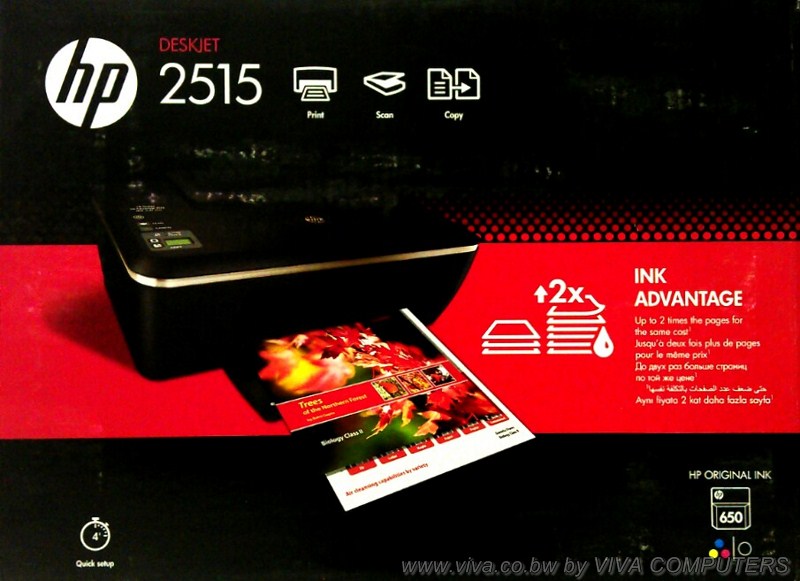
HP Deskjet Ink Advantage 2515 All-in-One Printer
| Functions | |
|---|---|
| Functions | Print, copy, scan |
| Multitasking supported | No |
| Printing specifications | |
|---|---|
| Print speed black (draft, A4) | Up to 20 ppm |
| Print speed colour (draft, A4) | Up to 16 ppm |
| Print speed black (ISO, laser comparable) | Up to 8 ppm |
| Print speed footnote | Either after first page or after first set of ISO test pages. For details see: http://www.hp.com/go/printerclaims |
| Duty cycle (monthly, A4) | Up to 1000 pages |
| Recommended monthly page volume | 300 to 400 |
| Print technology | HP Thermal Inkjet |
| Print quality black (best) | Up to 600 dpi |
| Print quality color (best) | Up to 4800 x 1200 optimized dpi from 1200 dpi input data (when printing from a computer on photo paper) |
| Paper handling | |
|---|---|
| Paper handling input, standard | 60-sheet input tray |
| Paper handling output, standard | 25-sheet output tray |
| Envelope input capacity | Up to 5 envelopes |
| Envelope feeder | No |
| Duplex printing | None |
| Finished output handling | Sheetfed |
| Media sizes supported | A4; B5; A5; A6; DL envelope |
| Media types | Paper (brochure, inkjet, plain), photo paper, envelopes, labels, cards (greeting), transparencies |
| Media weight, recommended | A4: 60 to 90 g/m²; HP envelopes: 75 to 90 g/m²; HP cards: up to 200 g/m²; HP 10 x 15 cm photo paper: up to 300 g/m² |
| Additional specifications | |
|---|---|
| Memory, standard | Integrated |
| Memory, maximum | Integrated |
| Print languages | HP PCL 3 GUI |
| Scanner specifications | |
|---|---|
| Scanner type | Flatbed |
| Scan resolution, optical | Up to 1200 dpi |
| Bit depth | 24-bit |
| Scan size (flatbed), maximum | 216 x 297 mm |
| Copier specifications | |
|---|---|
| Copy resolution (black text) | Up to 600 x 300 dpi |
| Copy resolution (color text and graphics) | Up to 600 x 300 dpi |
| Copy reduce / enlarge settings | Fit to page |
| Photo printing | |
|---|---|
| Display | 1.1" mono icon display (2.8-cm) |
| Memory card compatibility | None |
| Borderless printing | Yes, up to 8.5 x 11 in (US letter), 210 x 297 mm (A4) |
| Connectivity | |
|---|---|
| HP ePrint capability | No |
| Mobile printing capability | None |
| Wireless capability | No |
| Connectivity, standard | 1 Hi-Speed USB 2.0 |
| Minimum system requirements | Microsoft® Windows® 7: 1 GHz 32-bit (x86) or 64-bit (x64) processor, 2 GB available hard disk space, CD-ROM/DVD drive or Internet connection, USB port, Internet Explorer; Windows Vista®: 800 MHz 32-bit (x86) or 64-bit (x64) processor, 2 GB available hard disk space, CD-ROM/DVD drive or Internet connection, USB port, Internet Explorer; Windows® XP SP3 or higher (32-bit only): any Intel® Pentium® II, Celeron® or compatible processor, 233 MHz or higher, 750 MB available hard disk space, CD-ROM/DVD drive or Internet connection, USB port, Internet Explorer 6 or higher |
| Compatible operating systems | Microsoft® Windows® 7, Windows Vista®, Windows® XP SP3 or higher (32-bit only); Mac OS X v10.6, v10.7 |
| Dimensions and weight | |
|---|---|
| Minimum dimensions (W x D x H) | 431.4 x 438.9 x 251.6 mm |
| Weight | 3.9 kg |
| Package weight | 4.96 kg |
| Power and operating requirements | |
|---|---|
| Power | Input voltage: 100 to 240 VAC (+/- 10%), 50/60 Hz (+/- 3 Hz) |
| Power consumption | 10 watts maximum, 10 watts (Active), 0.3 watts (Auto-Off, Manual-Off), 1.3 watts (Sleep), 2.3 watts (Standby) |
| Acoustic pressure emissions | 49 dB(A) (printing at 5 ppm) |
| Acoustic power emissions | 6.1 B(A) (printing at 5 ppm) |
| Recommended operating temperature range | 15 to 30ºC |
| ENERGY STAR® qualified | Yes |
| What's in the box | |
|---|---|
| Software included | HP Photo Creations |
| Warranty | One-year limited hardware warranty backed by HP Customer Care, service and support; one-year technical phone support. For additional information Contact HP. |
DriversClick Here
2012-12-06
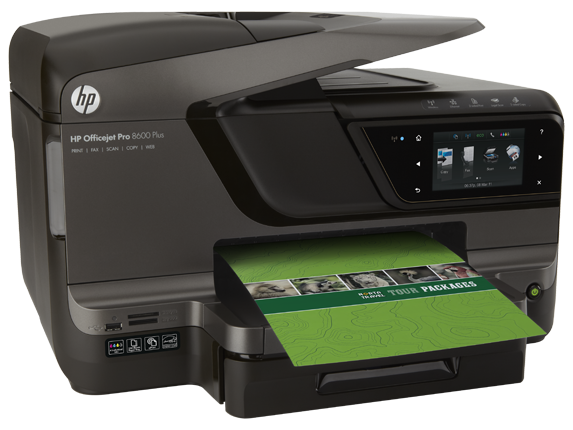
HP Officejet Pro 8600 Plus e-All-in-One Printer series - N911 (CM750A)
 |
|
|
|
| Functions | |
|---|---|
| All-in-one functions | Print, copy, scan, fax, Web |
| Multitasking Supported | Yes |
| Printing specifications | |
|---|---|
| Print Speed Black (ISO, laser comparable) | Up to 20 ppm |
| Print speed color (ISO, laser comparable) | Up to 16 ppm |
| Print speed black (draft, letter) | Up to 35 ppm |
| Print speed color (draft, letter) | Up to 35 ppm |
| Print speed, black (normal quality mode) | Up to 20 ppm |
| Print speed, color (normal quality mode) | Up to 16 ppm |
| Print speed footnote | Either after first page or after first set of ISO test pages. For details see http://www.hp.com/go/printerclaims |
| Page yield footnote | Average based on ISO/IEC 24711 or HP testing methodology and continuous printing. Actual yield varies considerably based on content of printed pages and other factors. Some ink from included cartridge is used to start up the printer. For details see http://www.hp.com/go/learnaboutsupplies |
| First page out (black) | As fast as 13 sec |
| First page out (color) | As fast as 14 sec |
| Monthly duty cycle | Up to 25,000 pages |
| Recommended monthly print volume | 250 to 1250 pages (print); 150 to 700 (scan) pages |
| Footnote for recommended monthly print volume | HP recommends that the number of pages per month of imaged output be within the stated range for optimum device performance, based on factors including supplies replacement intervals and device life over an extended warranty period. |
| Print technology | HP Thermal Inkjet |
| Print resolution, black | Up to 1200 x 600 dpi |
| Print resolution, color | Up to 4800 x 1200 optimized dpi on HP Advanced Photo paper, 1200 x 1200 input dpi |
| Ink cartridges | 4 (1 each black, cyan, magenta, yellow) |
| Paper Handling | |
|---|---|
| Paper handling optional,input | Optional 250-sheet input tray |
| Paper handling standard,input | 250-sheet input tray |
| Paper handling standard,output | 150-sheet output tray |
| Envelope capacity | Up to 30 envelopes |
| Envelope feeder | No |
| Duplex printing (printing on both sides of paper) | Automatic (standard) |
| Document finishing | Sheetfed |
| Media sizes, standard | Tray 1: Letter, legal, statement, executive, 3 x 5 in, 4 x 6 in, 5 x 7 in, 5 x 8 in, 4 x 10 in, 4 x 11 in, 4 x 12 in, 8 x 10 in, envelopes (No. 10, Monarch, DL) |
| Media sizes, custom | Windows does not support custom paper size; Tray 1: 3.5 x 8 to 8.5 x 14 in (Mac only) |
| Media types | Plain paper; Thick plain paper; HP Bright White Paper; HP Premium Presentation Paper, Matte; HP Premium Plus Photo Papers; Other inkjet papers; HP Advanced Photo Papers; HP Everyday Photo Paper, Matte; HP Everyday Photo Paper, Glossy; Other photo papers; Other specialty papers; Other Greeting Cards; HP Brochure Paper 180g, Glossy; HP Brochure and Flyer Paper, Matte; HP Tri-fold Brochure Paper, Matte; HP Tri-fold Brochure Paper, Glossy; Other brochure papers; Plain hagaki; Inkjet hagaki; Photo Hagaki; Card Stock |
| Media weight, recommended | 16 to 28 lb (plain paper); 60 to 75 lb (photo); 20 to 24 lb (envelope); 90 to 110 lb (card) |
| Additional Specifications | |
|---|---|
| Memory, standard | 128 MB |
| Memory, maximum | 128 MB |
| Print languages, standard | HP PCL 3 GUI, HP PCL 3 Enhanced |
| Scanner specifications | |
|---|---|
| Scanner type | Flatbed, ADF |
| Scan resolution, optical | Up to 4800 dpi |
| Bit depth | 24-bit |
| Scan size, maximum (flatbed) | 8.5 x 14 in |
| Scan size, maximum (ADF) | 8.5 x 14 in |
| Automatic paper sensor | No |
| Digital sending specifications | |
|---|---|
| Digital sending features | Scan-to E-mail; Fax Archive to E-mail |
| Copier specifications | |
|---|---|
| Copy speed, black (copies per minute) | Up to 35 cpm |
| Copy speed, color (copies per minute) | Up to 35 cpm |
| Copy resolution, black | Up to 1200 x 600 dpi |
| Copy resolution, color | Up to 1200 x 600 dpi |
| Maximum number of copies | Up to 99 copies |
| Fax specifications | |
|---|---|
| Fax transmission speed (seconds per page) | 4 sec per page |
| Fax memory | Up to 100 pages |
| Speed dials, maximum number | Up to 99 numbers |
| Auto redial | Yes |
| Fax delayed sending | Yes |
| Junk fax barrier | Yes, requires Caller ID |
| Fax forwarding | Yes |
| Faxing | Yes, color |
| Connectivity | |
|---|---|
| HP ePrint | Yes |
| Mobile printing capability | HP ePrint, HP webOS printing (TouchPad only), Apple AirPrint™ |
| Connectivity, standard | 1 USB 2.0; 1 Host USB; 1 Ethernet; 2 RJ-11 modem ports; memory card slots |
| Connectivity, optional | Support the following external Jetdirect servers; Print only: HP Jetdirect en1700 External Print Server (J7988G), HP Jetdirect en3700 Fast-Ethernet External Print Server for Network Capable Hi-Speed USB 2.0 Peripherals (J7942G), HP Jetdirect ew2400 802.11b/g wireless and Fast Ethernet external print server (USB 2.0, 10/100Base-TX, 802.11b/g) (J7951G), HP Jetdirect ew2500 802.11b/g Wireless Print Server (J8021A); Other supported accessories: Apple AirPort Express, Apple AirPort Extreme, Apple Airport TimeCapsule |
| Minimum system requirements | PC: Microsoft® Windows® 7: 1 GHz
32-bit (x86) or 64-bit (x64) processor, 2 GB hard disk space, CD-ROM/DVD
drive or Internet connection, USB port, Internet Explorer; Windows
Vista®: 800 MHz 32-bit (x86) or 64-bit (x64) processor 2 GB hard disk
space, CD-ROM/DVD drive or Internet connection, USB port, Internet
Explorer; Windows® XP (SP3)* or higher (32-bit only): any Intel®
Pentium® II, Celeron® or compatible processor, 233 MHz or higher, 750 MB
hard disk space, CD-ROM/DVD drive or Internet connection, USB port,
Internet Explorer 6 or higher. *Supports 32-bit only. Mac OS X v 10.5 or
v 10.6: PowerPC G4, G5 or Intel® Core™ Processor, 500 MB available hard
disk space, CD-ROM/DVD drive or Internet connection, USB port; Linux
(For more information, see
http://hplipopensource.com/hplip-web/index.html) Macintosh: Mac OS X v 10.5 or v 10.6: PowerPC G4, G5 or Intel® Core™ Processor, 500 MB available hard disk space, CD-ROM/DVD drive or Internet connection, USB port |
| Compatible operating systems | Microsoft® Windows® 7, Windows Vista®, Windows® XP (SP3)* or higher (32-bit only): *Supports 32-bit only; Mac OS X v 10.5, v 10.6 or v 10.7; Linux (For more information, see http://hplipopensource.com/hplip-web/index.html) |
| Photo printing | |
|---|---|
| Display | 4.3" CGD (color graphics), touchscreen |
| Memory Card Compatibility | Memory Stick Duo, Memory Stick Pro Duo, MagicGate Memory Stick Duo; Memory Stick Micro (requires adapter, sold separately); Secure Digital (SD); Secure Digital High Capacity; miniSD, microSD, microSDHC (requires adapter, sold separately); MultimediaCard (MMC), Secure MultimediaCard; Reduced-Size MultimediaCard (RS-MMC), MMC Mobile, MMCmicro (requires adapter, sold separately) |
| Borderless Printing | Yes, up to 8.5 x 11 in (US letter), 210 x 297 mm (A4) |
| Dimensions and weight | |
|---|---|
| Dimensions (W x D x H) | 19.4 x 18.1 x 12.4 in |
| Weight | 27.35 lb |
| Dimensions, max. (W x D x H) | 19.4 x 25.4 x 12.4 in (with duplexer installed, output tray extended to Legal) |
| Package weight | 40.1 lb |
| Power and operating requirements | |
|---|---|
| Power supply | Input voltage: 100 to 240 VAC (+/- 10%), 50/60 Hz (+/- 3 Hz) |
| Power consumption | 34 watts maximum, 0.22 watts (Manual-Off), 6.63 watts (Standby), 2.21 watts (Sleep) |
| Power consumption footnote | Power measurements are based on ENERGY STAR® OM test procedure with 230 VAC, 50 Hz input. |
| Acoustic Pressure Emissions | 60 dB(A) |
| Acoustic power emissions | 6.7 B(A) |
| Recommended operating temperature (Fahrenheit) | 59 to 90°F |
| Recommended Operating humidity range | 25 to 75% RH |
| ENERGY STAR® Qualified | Yes |
| What's included | |
|---|---|
| What's in the box | HP Officejet Pro 8600 Plus e-All-in-One Printer, automatic two-sided printing accessory; HP 950 Setup Black Officejet Ink Cartridge (~1000 pages); HP 951 Setup Cyan Officejet Ink Cartridge; HP 951 Setup Magenta Officejet Ink Cartridge; HP 951 Setup Yellow Officejet Ink Cartridge: composite yield (~700 pages); power cord; phone cord; setup poster; Getting Started Guide; CD-ROMs (for software, Windows and Mac printer drivers, and User's Guide). [Average based on ISO/IEC 24711 or HP testing methodology and continuous printing. Actual yield varies considerably based on content of printed pages and other factors. Some ink from included cartridge is used to start up the printer. For details see http://www.hp.com/go/learnaboutsupplies] |
| Cable included? | No, please purchase USB cable separately |
| Software included | HP Printer Software, Microsoft Toolbar, HP Update, Shop for Supplies Online |
Subscribe to:
Posts (Atom)